Visual Search Test
Find the matching shape across 24 displays. Your score is your average search time in milliseconds, and lower is better.
Find the one shape that matches the target.
Your score is your average time over 24 displays — lower is better.
- Take one look at the target above.
- Tap it the moment the display appears.
- Wrong taps cost nothing but time.
2 practice, then 24 scored · about a minute
The first two are practice — one round and you will know your pace.
How to read your score
| Score | What it means |
|---|---|
| Under 800 ms per display | A Visual Search Test average under 800 milliseconds per display is this site's lowest-time band, and lower is better. It is not a population norm and does not show a rank. Compare it with your own rounds on the same setup and check that wrong taps stayed low. |
| 800 to 1,000 ms per display | A Visual Search Test average from 800 to 1,000 milliseconds per display is this site's second-lowest time band, and lower is better. It is not a population norm. Use the three set-size medians and search slope to see whether the denser displays added most of your time. |
| 1,000 to 1,250 ms per display | A Visual Search Test average from 1,000 to 1,250 milliseconds per display is the middle of this site's five descriptive bands, and lower is better. It is not a population norm. Repeat the test on the same setup and use several rounds, not one, to judge change. |
| 1,250 to 1,600 ms per display | A Visual Search Test average from 1,250 to 1,600 milliseconds per display is this site's second-highest time band, and lower is better. It is not a population norm. If this was your first round, repeat on the same setup and compare your own results after the target and layout feel familiar. |
| 1,600 ms or more per display | A Visual Search Test average of 1,600 milliseconds or more per display is this site's highest-time band, and lower is better. It is not a population norm. Timed-out displays are excluded rather than averaged at 10,000 milliseconds, so check your set-size medians, wrong taps and usable-display count before interpreting the round. |
These Visual Search Test bands describe this site's own six-by-six task; they are not norms, pass marks or population ranks. Compare several of your own rounds only when the device, orientation and input method are the same.
How to play
- How do you start the Visual Search Test?: Study the target shown above the lattice, then complete two unscored practice displays. The target stays the same for the whole round, so use practice to learn its colour, pattern and shape before you start the scored displays.
- When should you tap in the visual search task?: Wait for the shapes to appear, then tap the one item that matches the target in both colour or pattern and shape. A tap during the centre dot, or a target tap within 200 milliseconds of appearance, is a false start and the display is retried.
- How do you avoid mistakes in conjunction search?: Check both features before tapping: every distractor matches the target in either colour or shape, but not both. A wrong tap is counted and the display stays visible, so keep looking for the exact match instead of guessing around the lattice.
- When does the Visual Search Test end?: Finish 24 scored displays: eight each with 8, 16 and 32 items. Each display ends when you find the target or when 10 seconds pass; stay on the page until the result appears, because an interrupted round is not saved.
- How do you read a Visual Search Test score?: Your main score is the average of the middle response time for each set size, measured in milliseconds, so lower is better. Use the search slope to see how much extra time more items added, then compare several rounds played on the same setup.
What this measures
This is a non-standardised adaptation, and the result cannot be exchanged with a clinical or standardised scale. You will search 24 displays on a six-by-six lattice: eight displays each with 8, 16 and 32 items. One item matches the target in both colour or pattern and shape; tap that exact match as soon as you find it.
This is a conjunction search task. Every distractor shares one feature with the target, so colour alone or shape alone cannot identify the answer. The task measures how quickly you find a specific feature combination among similar items in this round; it is not a general measure of attention.
Your main Visual Search Test score is measured in milliseconds, and lower is better. For each set size, your usable times are sorted and the middle value - the median - is taken; the score is the average of those three medians. An unusually distant time is left out before the median is calculated.
The result also shows a visual search slope in milliseconds per item. It estimates how search time changed with each additional item across the 8-, 16- and 32-item displays. Treat the slope as context for this round, not as a separate score to rank or chase, because it can vary widely across short sessions.
A display is usable only when you find the target between 200 and 10,000 milliseconds, with no more than two wrong taps and without a timing interruption. A tap before the shapes appear, or a target tap under 200 milliseconds, is a false start; the same display has up to three attempts in total. If any set size finishes with fewer than six usable displays, the round receives no score.
To compare Visual Search Test scores, keep the device, orientation and input method the same. Use several completed rounds rather than one result, because a first round also includes time spent learning the target and layout. The saved lowest time may come from a different setup, so use the same-setup comparison when judging whether your latest round changed.
To practise visual search, start each display from the centre and scan the lattice in a consistent path instead of jumping between random items. Keep accuracy steady before trying to move faster: more than two wrong taps removes that display from the score, and guessing does not create a useful comparison.
Stay on this page until the Visual Search Test ends. Switching tabs, opening the rules during a round, refreshing or stopping ends the round without saving it; an interrupted set of reaction times cannot be resumed later.
FAQ
What does a visual search test measure?
Visual search tests measure target-finding time in clutter. This version uses conjunction search: each distractor matches the target in colour or shape, but not both. It reports your average time per display and how strongly that time changes with set size.
What is a good Visual Search Test time?
Under 1,000 ms is in the test's two lowest-time bands. Lower is better, but that threshold is a descriptive guide for this task, not a population norm. Compare several rounds on the same device, orientation and input method before judging a change.
What is a normal visual search reaction time?
No visual search reaction time is normal for every task. Displays, distractors, devices and response methods all change the result. This site's five bands apply only to its own task: under 800, 800-1,000, 1,000-1,250, 1,250-1,600, and 1,600 milliseconds or more per display. Use them for self-comparison, not population ranking.
What is the difference between feature search and conjunction search?
Feature search uses one cue; conjunction search uses two. A single-feature target may stand out across set sizes; a conjunction target shares features with distractors, so added items usually add search time. This Visual Search Test uses conjunction search.
What does visual search slope in milliseconds per item mean?
Visual search slope is the time change per added item. This test fits the slope through your median times for 8, 16 and 32 items. A steeper positive slope means added items cost more time in this round; use it as context for the main average, not as a separate score.
How does set size affect visual search reaction time?
Larger set sizes usually increase conjunction-search time. More similar items must be checked, so this test uses 8, 16 and 32 items on the same lattice and reports a median for each size. Compare those three values to see the set-size effect in your own round.
How do you practise visual search?
Practise visual search with a consistent scanning path. Start from the centre, move through rows or sections, and check both target features before tapping. Compare several rounds with the device, orientation and input method fixed so a lower time reflects practice on the task rather than a changed setup.
Why did my Visual Search Test give no score?
No score means one set size had under six usable displays. A display can be excluded after three false starts, a 10-second timeout, more than two wrong taps, a timing interruption or an unusually distant time. Start another round and prioritise accurate taps over speed.
Related games
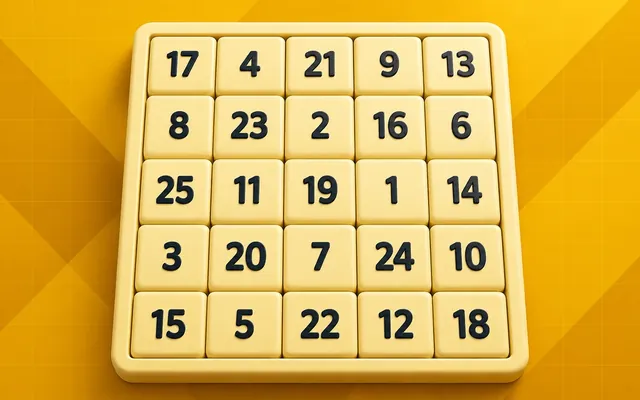 AttentionSchulte TableTap 1 to 25 in order on a shuffled grid and read your time in seconds.PlayAbout 40s
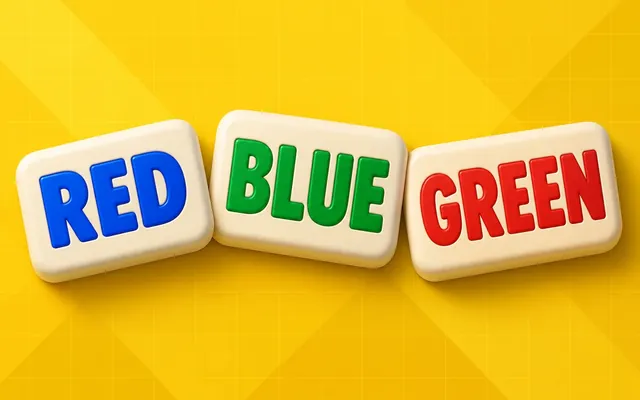 AttentionStroop TestName the ink, ignore the word. 20 scored trials, and your time on the mismatched ones.PlayAbout 60s
 ReactionAim TrainerHit 30 targets as they jump around a fixed field and read your median time per target.PlayAbout 30s
 MemoryVisual Memory TestMemorize lit cells on a 5×5 grid, tap the same positions after they disappear, and compare your weighted visual memory span across completed tests.Play1-2 min
This test is for self-knowledge and practice only. It reports one run of one task and is not a clinical or intelligence assessment.
Last updated: 2026-10-07 · Scores stay on this device